
Snaptroid APK Not Working? 10 Proven Fixes That Actually Work [2026]
You installed Snaptroid APK and now it is not working the way it should. Maybe it crashes on launch, refuses to log in, shows a black screen, or simply will not install at all. Whatever the issue is, you are not alone — and almost every Snaptroid problem has a straightforward fix.
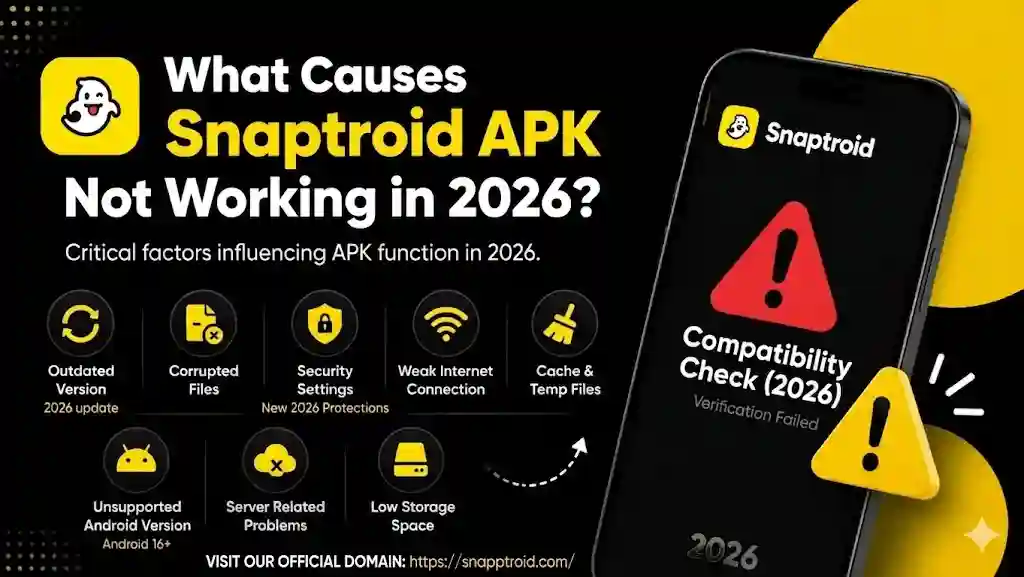
This guide covers every common Snaptroid APK error in 2026 with clear, tested solutions for each one. Go through each fix in order or jump directly to the error that matches your situation.
Why Snaptroid APK Stops Working
Before jumping into fixes, it helps to understand the most common reasons Snaptroid APK not working in 2026:
- Using an outdated version that is no longer compatible with the latest Snapchat update
- Corrupted APK file downloaded from an unofficial or unreliable source
- Android security settings blocking installation or execution
- Insufficient storage space on the device
- Cache and data buildup causing app instability
- Internet connection issues affecting login and download features
- Conflicting apps or permissions not properly granted
Most of these are completely fixable without any technical knowledge. Let’s go through each one.
Fix 1 — Update to the Latest Snaptroid Version
This is the single most effective fix for almost every Snaptroid problem in 2026. Snaptroid needs regular updates to stay compatible with Snapchat, which updates its own app frequently. If your Snaptroid version is even a few weeks old, it may have already lost compatibility.
How to update:
- Visit the official Snaptroid website and check the latest version number
- Compare it with the version you currently have installed
- If a newer version is available, download the latest APK and install it over the existing one
- No need to uninstall first — the new version will replace the old one automatically
After updating, restart your phone and try launching the app again. This alone resolves the issue for the majority of users.
Fix 2 — Uninstall and Do a Clean Reinstall
If updating did not fix the problem, the existing installation may be corrupted. A clean reinstall clears everything and starts fresh.
Steps:
- Go to Settings → Apps → Snaptroid and tap Uninstall
- Go to your File Manager and delete any leftover Snaptroid APK files in your Downloads folder
- Restart your phone
- Download the latest Snaptroid APK from the official source only
- Install it fresh and launch
A clean reinstall fixes crashes, freezing, and black screen issues in most cases. Snaptroid Alternatives 2026
Fix 3 — Enable Install from Unknown Sources
If Snaptroid is not installing at all and you see a blocked or restricted installation message, your Android security settings are preventing it.
For Android 8 and above:
- Go to Settings → Apps → Special App Access → Install Unknown Apps
- Find your browser or file manager app
- Toggle on Allow from this source
- Try installing the APK again
For older Android versions:
- Go to Settings → Security
- Enable Unknown Sources
- Proceed with installation
Once Snaptroid is installed, you can turn this setting back off for security.
Fix 4 — Clear Cache and App Data
Over time, cached data builds up and causes apps to behave unpredictably — crashing, freezing, or showing blank screens. Clearing the cache is a safe fix that does not delete your account or settings.
Steps:
- Go to Settings → Apps → Snaptroid
- Tap Storage
- Tap Clear Cache first
- Open the app and test — if the issue continues, come back and tap Clear Data as well
- Restart the phone after clearing
This fix is particularly effective for black screen errors and app freezing after opening.
Fix 5 — Check Your Internet Connection
Many Snaptroid features — login, story viewing, downloading content — require a stable internet connection. If your connection is weak or unstable, the app may appear to not be working when the real issue is connectivity.
Quick checks:
- Switch from mobile data to Wi-Fi or vice versa
- Test your connection by opening a website or YouTube video
- If using Wi-Fi, move closer to the router or restart it
- Disable and re-enable mobile data if speeds feel slow
- Turn on Airplane Mode for 10 seconds, then turn it off — this resets your network connection quickly
If Snaptroid works after switching networks, the issue was your connection and not the app itself.
Fix 6 — Fix Snaptroid Login Not Working
Login failures are one of the most reported Snaptroid issues in 2026. Here is how to resolve them:
Check your credentials first — Make sure you are entering the correct Snapchat username and password. Snaptroid uses your existing Snapchat account, so login errors often come from incorrect details rather than the app itself.
Try these steps if credentials are correct:
- Clear the app cache (see Fix 4) and try logging in again
- Check if Snapchat itself is down — if Snapchat’s servers are having issues, Snaptroid login will also fail
- Make sure your internet connection is stable during login
- Uninstall and reinstall the latest version, then attempt login on first launch
- Avoid logging in on multiple devices simultaneously, as this can trigger account flags
If login consistently fails across multiple attempts with the correct credentials, wait a few hours and try again — Snapchat server-side issues usually resolve on their own.
Fix 7 — Fix Snaptroid Not Installing (Installation Failed Error)
If you keep seeing an “App not installed” or “Installation failed” error, one of these is the cause:
Insufficient storage space — Snaptroid needs adequate free storage to install properly. Go to Settings → Storage and check available space. If you have less than 500MB free, delete unused apps, photos, or files and try again.
Corrupted APK file — If the download was interrupted or came from an unreliable source, the APK file may be incomplete or damaged. Delete the file, download it again from the official source, and retry installation.
Conflicting old installation — Sometimes a partial uninstall leaves behind files that block a new installation. Go to Settings → Apps, check if Snaptroid still appears there, force uninstall if it does, restart your phone, and try again.
Android version incompatibility — Snaptroid v5.1 (2026) requires Android 5.0 or higher. Check your Android version in Settings → About Phone. If your device is running an older version, the app cannot be installed.
Fix 8 — Fix Black Screen or White Screen on Launch
A black or white screen after opening Snaptroid usually means the app is loading but something is blocking it from rendering properly.
Fixes to try in order:
- Wait 30 seconds — sometimes the app is simply slow to load on first launch
- Close the app completely from Recent Apps and reopen it
- Clear cache and data (Fix 4)
- Restart your phone and open Snaptroid before opening any other apps
- Uninstall and do a clean reinstall (Fix 2)
If the black screen persists after all of these steps, your current APK version may not be compatible with your Android version. Download the latest version and try again.
Fix 9 — Grant All Required Permissions
Snaptroid needs certain permissions to function correctly. If permissions were denied during installation or have been revoked, the app will not work properly.
How to check and grant permissions:
- Go to Settings → Apps → Snaptroid → Permissions
- Make sure Storage permission is enabled — this is required for downloading and saving content
- If the app uses a camera or microphone feature, enable those as well
- Deny any permission that seems unrelated to the app’s functions — Snaptroid does not need access to contacts, SMS, or call logs
After granting the correct permissions, restart the app.
Fix 10 — Disable Battery Optimization for Snaptroid
Android’s battery optimization feature can close or restrict background apps, causing Snaptroid to crash or stop working mid-use.
How to disable battery optimization:
- Go to Settings → Battery → Battery Optimization (location varies by Android brand)
- Find Snaptroid in the list
- Select Don’t Optimize or No Restrictions
- Restart the app
On some devices this is found under Settings → Apps → Snaptroid → Battery — set it to Unrestricted.
Quick Troubleshooting Reference Table
| Problem | Most Likely Cause | Best Fix |
|---|---|---|
| App not opening | Outdated version | Update to latest APK |
| App crashing | Corrupted install or cache | Clean reinstall or clear cache |
| Black screen | Cache buildup or old version | Clear cache, then update |
| Login not working | Wrong credentials or server issue | Check credentials, clear cache |
| Installation failed | Low storage or corrupted APK | Free up space, redownload APK |
| Download not working | No internet or wrong permissions | Check connection, grant storage permission |
| App keeps stopping | Battery optimization blocking it | Disable battery optimization |
| Not installing on Android | Unknown sources disabled | Enable in security settings |
| Slow performance | Old version or low RAM | Update app, close background apps |
| Features not working | Version incompatibility | Download latest v5.1 from official source |
Things to Avoid When Fixing Snaptroid
A few common mistakes that make problems worse:
Do not download from unofficial APK sites — Fake Snaptroid APKs are the most common cause of persistent errors, crashes, and security problems. Always download only from the official Snaptroid source. An APK from a random website may be an older version, a modified version, or something else entirely.
Do not grant unnecessary permissions — If the Snaptroid APK you installed is requesting access to your SMS, contacts, or call history, do not grant those permissions and consider uninstalling it. The legitimate app does not need access to those things.
Do not use very old Android versions — Snaptroid 2026 versions are optimized for Android 8 and above. On Android 5 or 6, you may experience persistent issues that cannot be fixed without upgrading your OS.
When Nothing Works — Last Resort Steps
If you have tried all ten fixes and Snaptroid still is not working, here is what to do:
Factory reset app preferences — Go to Settings → General Management → Reset → Reset App Preferences. This restores all app permission defaults without deleting your data. Then reinstall Snaptroid fresh.
Try on a different device — If possible, install the same APK on another Android device. If it works there, the issue is specific to your device’s configuration rather than the APK itself.
Wait for a new update — If Snapchat just pushed a major update, Snaptroid may temporarily stop working until its developers release a compatible version. Check the official Snaptroid website for any announcements about compatibility fixes.
Frequently Asked Questions
Q: Why does Snaptroid keep crashing after the latest Snapchat update?
Snapchat regularly updates its app, and third-party tools like Snaptroid need matching updates to stay compatible. If Snapchat updated recently and Snaptroid started crashing, wait for a Snaptroid update that addresses compatibility with the new Snapchat version.
Q: Snaptroid installed successfully but features are not working — why?
This is almost always a permissions issue. Go to Settings → Apps → Snaptroid → Permissions and make sure Storage is enabled. Also check that your internet connection is stable, as most features require connectivity.
Q: Is it safe to clear Snaptroid’s data?
Yes. Clearing app data removes cached files and resets the app to its default state. You will need to log in again afterward, but no account data or Snapchat content is permanently deleted.
Q: Does Snaptroid work on all Android versions in 2026?
Snaptroid v5.1 works best on Android 8.0 and above. Older Android versions may experience limited functionality or installation issues.





One Comment